
Related terms
How does a print spooler work?
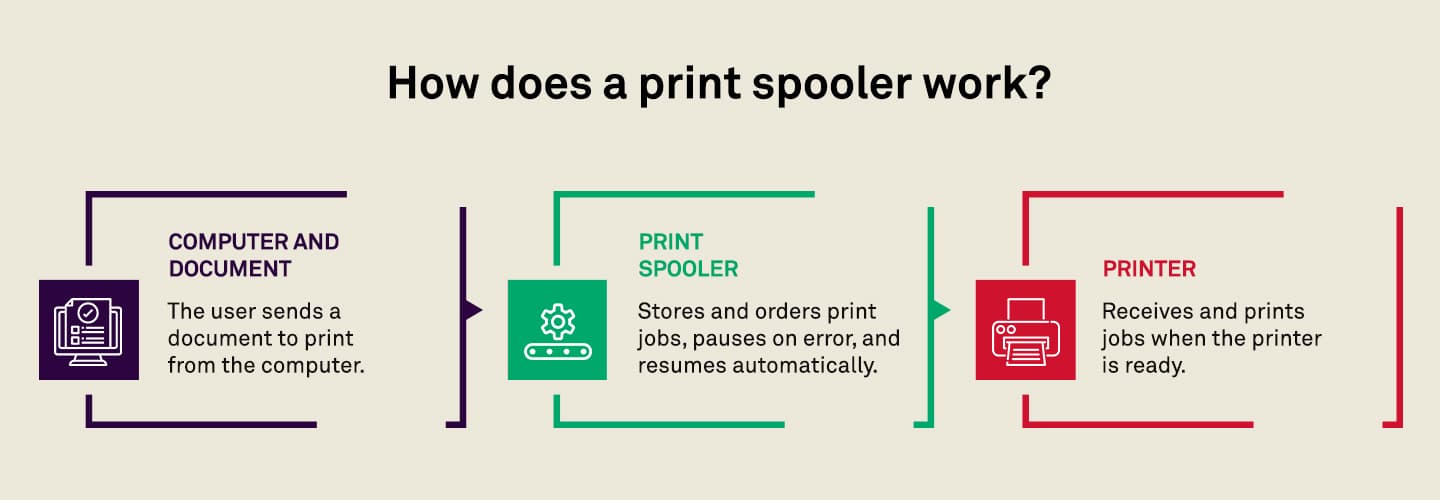
A print spooler acts as an intermediary between your computer and the printer. When you send a document to print, the spooler stores the job in a queue on your computer or print server instead of sending it directly to the printer. This allows you to continue working without waiting for the printer to finish.
The spooler then processes jobs in the order they were received (or based on priority settings) and sends them to the printer when it’s ready. If multiple users are printing to the same device, the spooler manages the queue to prevent conflicts. It also monitors the printer’s status, pausing jobs if there’s an error and resuming once the issue is resolved.
Related solutions
Further insights
 Articles
Modernizing print with cloud printing
Cloud printing and print management are the future of business. See how companies are successfully modernizing their print infrastructure.
 Articles
A look at printing and its real costs
Printing costs can go far beyond paper and toner. In this article, we look at how to reduce waste, improve security and find hidden savings.
 Articles
When to upgrade your older, legacy printer
We look at 5 reasons why now is the best time to upgrade your older printer or MFP, additional considerations, and the benefits of doing so.