
What is document lifecycle?
A document lifecycle is the path a document takes from creation or receipt to archiving or disposal/deletion. What happens in between depends on the document. It might need to be reviewed, approved, updated, shared, or stored for future use.
Contracts, invoices, employee records, policies, reports, and forms can all have their own lifecycle, whether they start on paper or digitally. Managing that lifecycle gives organizations a more consistent way to keep documents organized, accessible, and appropriately protected throughout the time they are needed.
How does document lifecycle work?
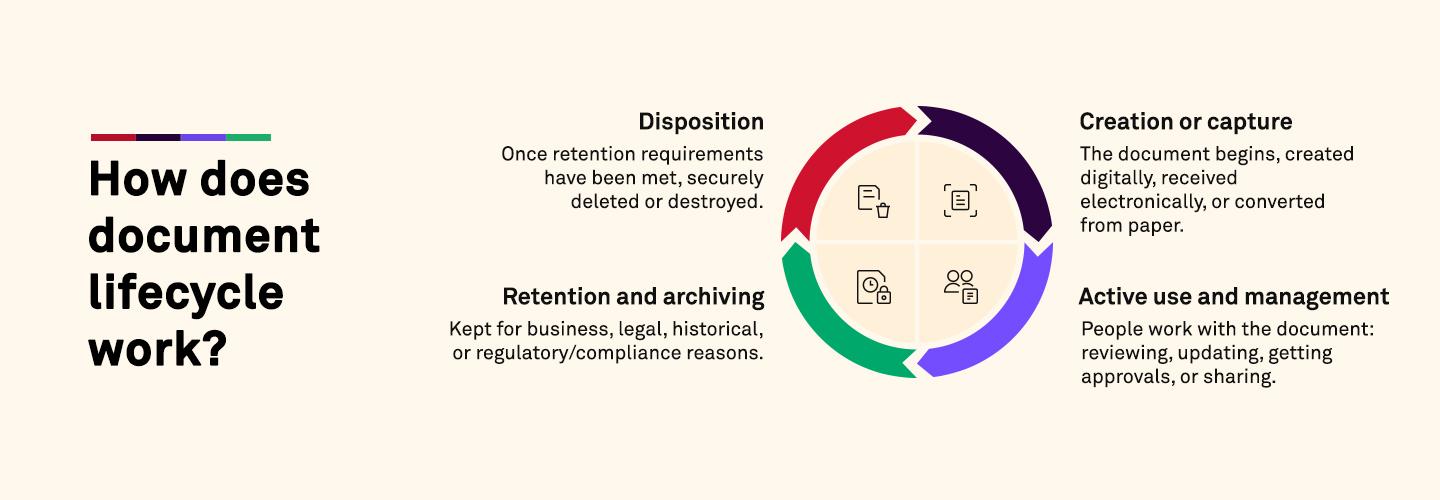
Documents tend to move through a few general stages as their purpose changes. The details won't look exactly the same everywhere, but most document lifecycles include these four main stages:
Creation or capture is where the document begins, whether it's created digitally, received electronically, or converted from paper.
Active use and management covers the period when people are working with the document. That might mean reviewing it, making updates, getting approvals, or sharing it with others.
Retention and archiving happens once a document isn't needed as often but still has to be kept for business, legal, historical, or regulatory/compliance reasons.
Disposition is the final stage. Once retention requirements have been met, the document may be securely deleted or destroyed
Not every document will follow exactly the same path. Permissions, version controls, classification, and retention rules can be applied along the way based on the type of information involved and how it needs to be managed.
Why is document lifecycle important?
Document volumes grow over time, especially when different versions are saved, shared, or stored in multiple places. Managing their lifecycle helps organizations keep track of what they have, what employees still need, and what can eventually be removed.
Some of the biggest benefits include:
Finding the right information: A consistent approach to organizing documents can make it easier for employees to find what they need without sorting through outdated or duplicate files.
Protecting sensitive documents: Access controls and retention rules help limit who can use certain information and how long it should remain available.
Keeping versions accurate: Review and approval processes make it easier to tell which version is current, reducing the chance that employees work from an old or incorrect document.
Knowing what to keep and what to remove: Not every document needs to stay around indefinitely. Retention and disposal rules help determine what should be preserved, and what can be securely removed once it's no longer required.